New Item(Catalog) Import
By Arunkumar Ganesan on December 21, 2022
ExpertCreate a new Catalog using this Data Import Procedure
A Price List is called as Catalog, which comprises different Items with a specific price for each Item.
This will build a list of Items, its description. This will also attach a prices of Item to a specific Price List.
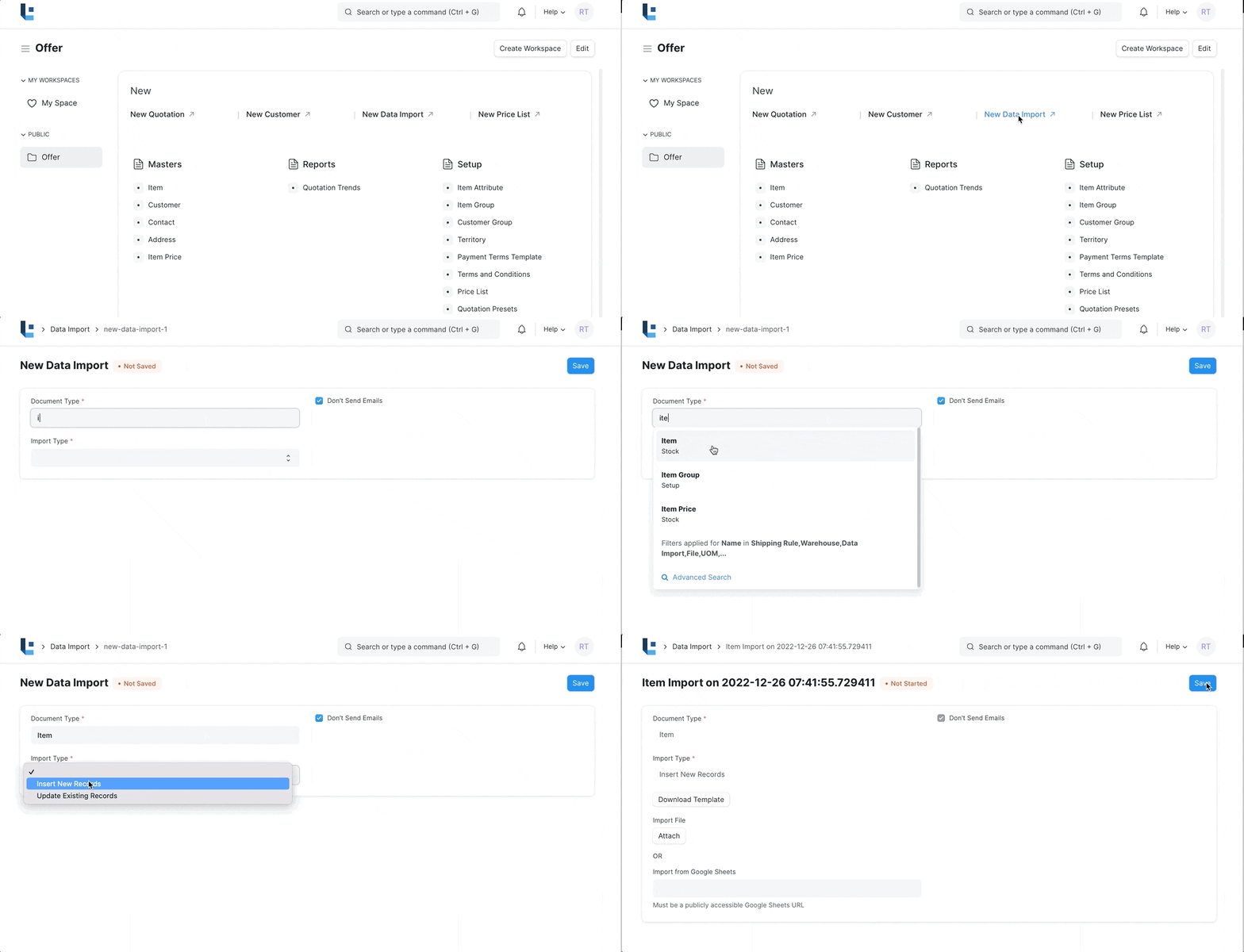
To access the Data Import, go to:
Home > Offer > New > New Data Import
1. Create New Data Import
- In the New Data Import from select the Document Type as Item
- Select the Import Type. In this case it is Insert New Records
- Save
2. Download Template and Fill Attributes
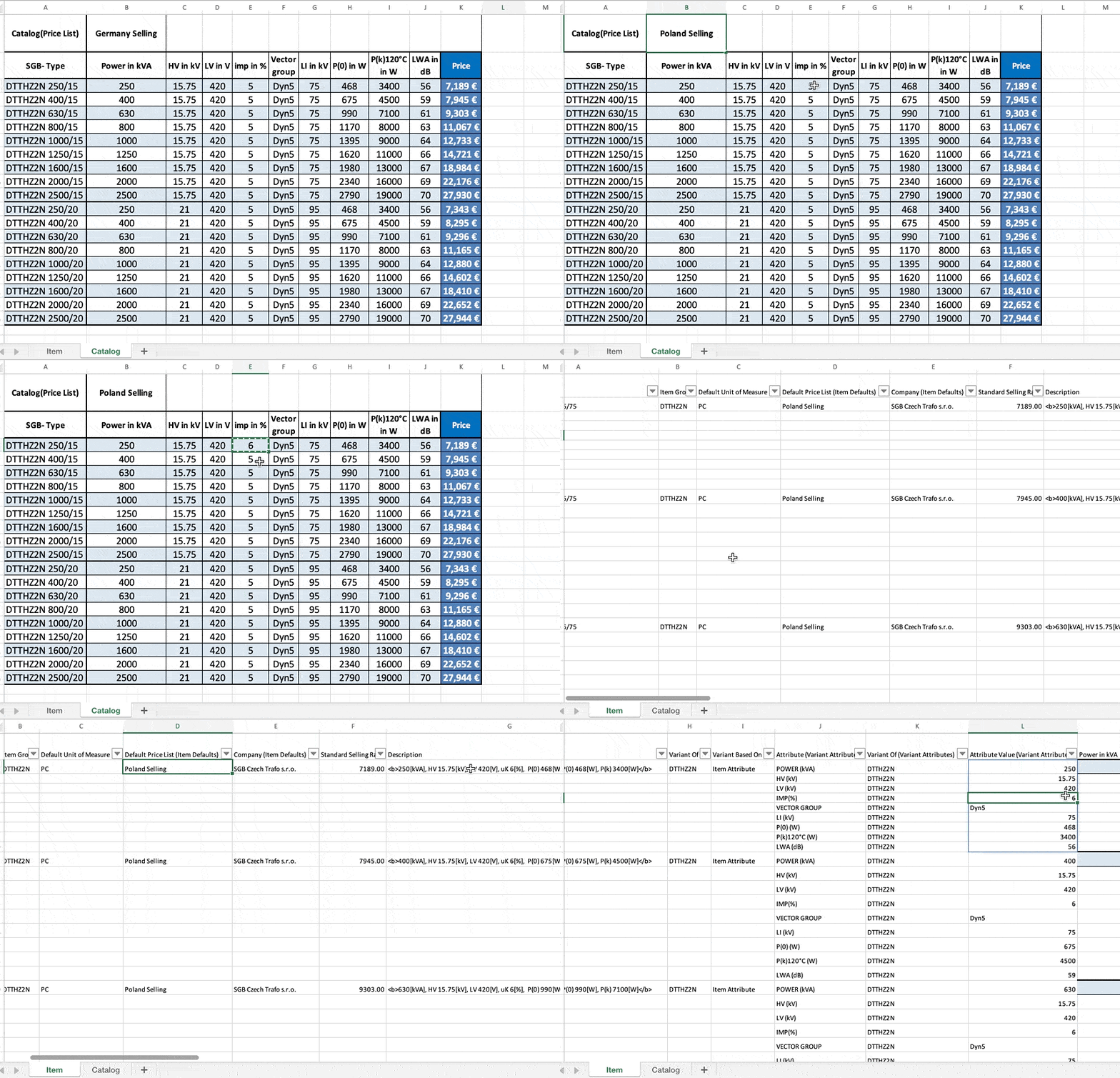
- Download the Upload Template from the Link Here
- Open the Catalog Sheet and change the Catalog(Price List) Name. eg. Germany Selling. Note the Price List must be a valid price list in LENS Core
- Edit other parameters of Transformers including their prices.
- Open the Item Sheet and validate if all the columns viz Item Code, Default Price List (Item Defaults), Standard Selling Rate, Description, Attribute Value (Variant Attributes) are populated correctly based on the respective rows of Catalog Sheet.
- Save the Worksheet.
3. Execute the Data Import
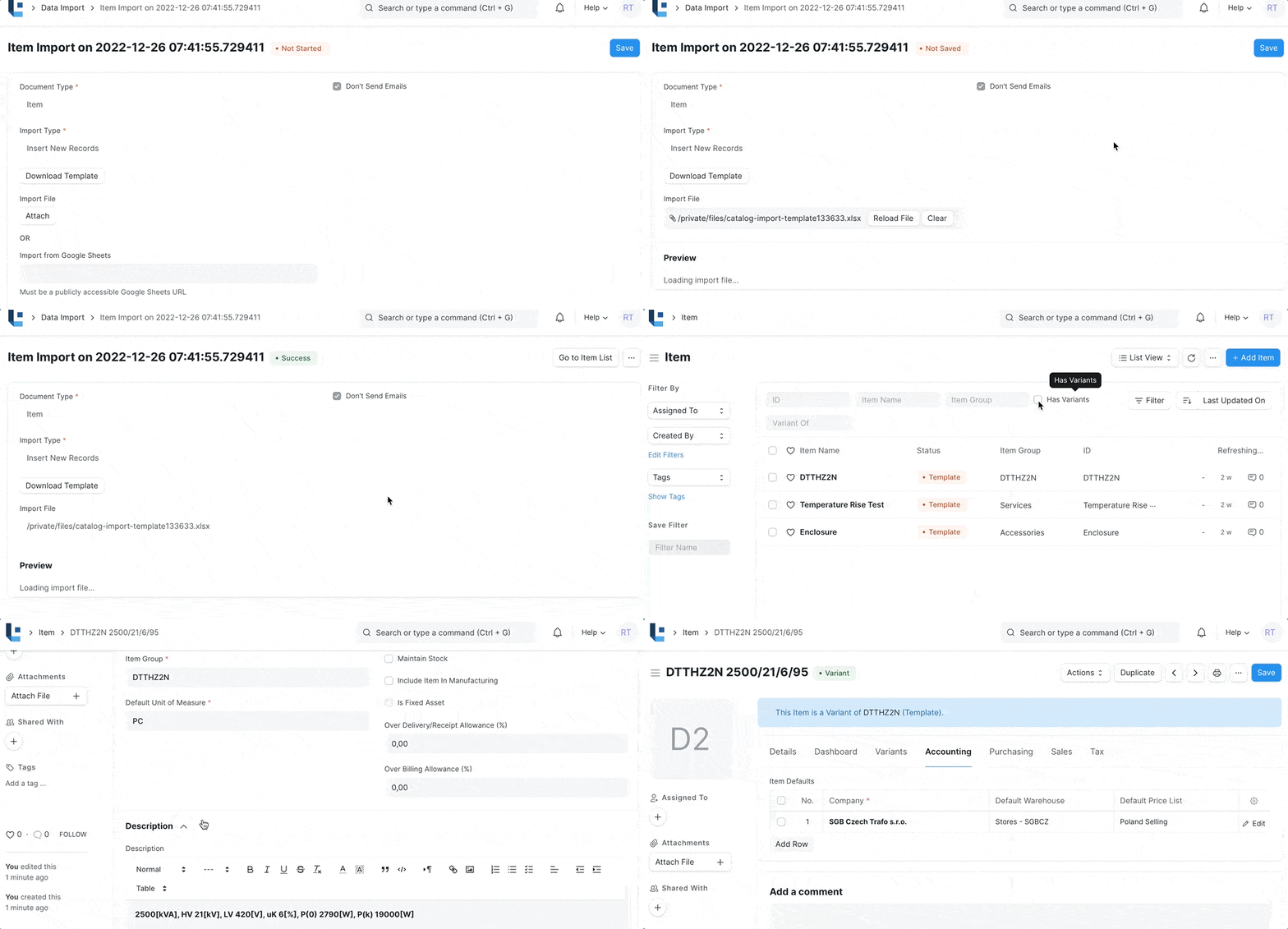
- Attach the sheet in the import File of the Data Import you created in step 1
- Look for any data errors
- Press Start Import.
- Once Finished, navigate to the Items and verify for accuracy of the upload
4. Features
- You can map the columns from your Excel to the fields in LENS Core Document
- You can export errored records, so that you can fix the errors and reprocess.
5. Related Topics
Was this article helpful?
No comments yet. Login to start a new discussion Start a new discussion