Offer Terms And Conditions
By Administrator on December 18, 2022
BeginnerTerms and Conditions Template allows us to maintain a reusable text content that can be used in Offer
Every Offer should have the Legal information included at the end. This information should be automatically populated while creating the offer.
To access Terms and Conditions template go to:
Home > Offer> Setup> Terms and Conditions Template
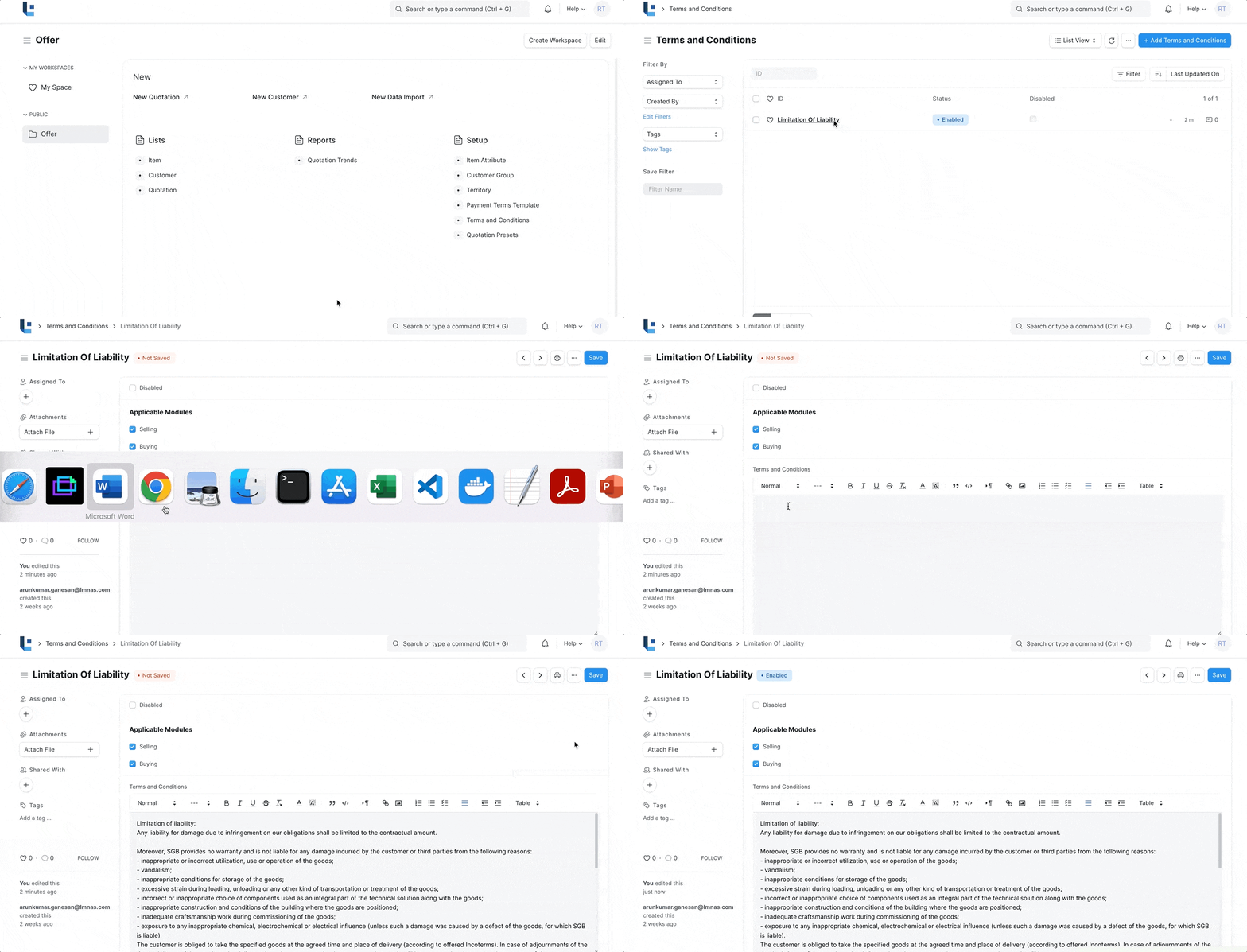
1. How to create/modify Terms And Conditions
- Edit the existing template or create new one.
- In the text area paste the contents or type you own.
- Use the styling options from the editor to change the style of the text, such as Bold, Italics or making a line as heading etc.
2. How to setup the default template
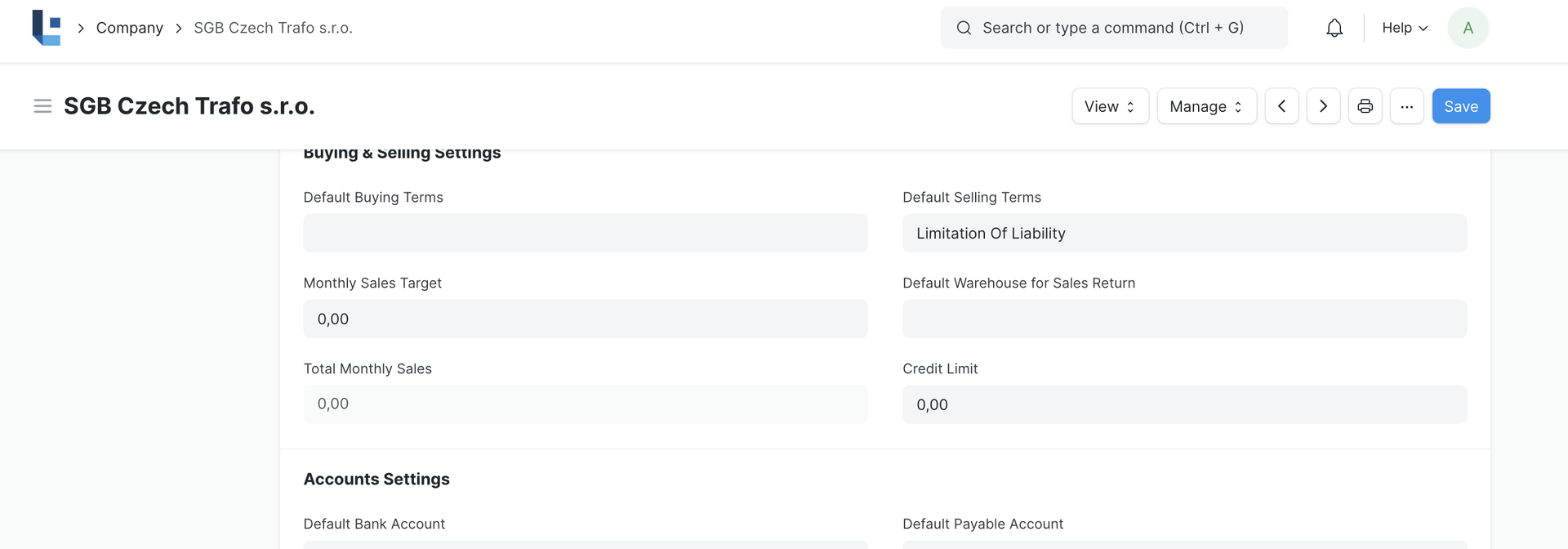
- To make a template as a default template for offer, the template must be set in company master.
3. How to Use in Offer(Quotation)
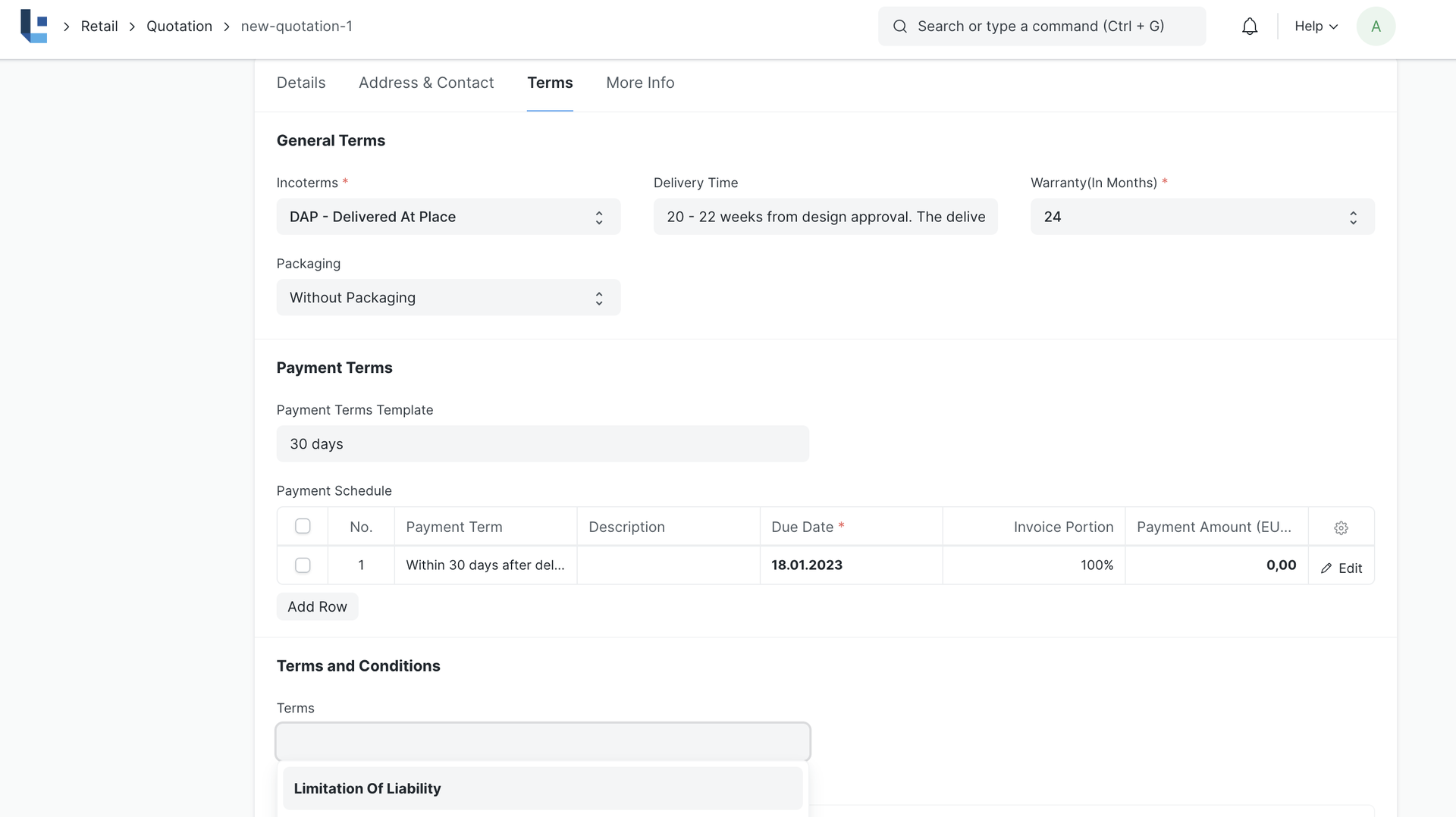
- Create a quotation and navigate to Terms Section
- By default Template 'Limitation of Liability' will be chosen.
- To use a different template clear the Term field select the template of your choice
4. Related Topics
Was this article helpful?
No comments yet. Login to start a new discussion Start a new discussion