Territory
By Administrator on December 19, 2022
BeginnerA Territory is a geographical region you do business in.
In LENS Core, a Territory is used to classify Customer's Region and Addresses and to allocated sales targets.
To access the Territory list, go to:
Home > Offer > Setup > Territory
1. How to create a Territory
- Go to the Territory list, click on New.
- Tick 'Group Node' if there'll be sub-territories under this Territory. For example, Germany is a group Territory and DE01 and DE02 are sub-territories.
- Save.
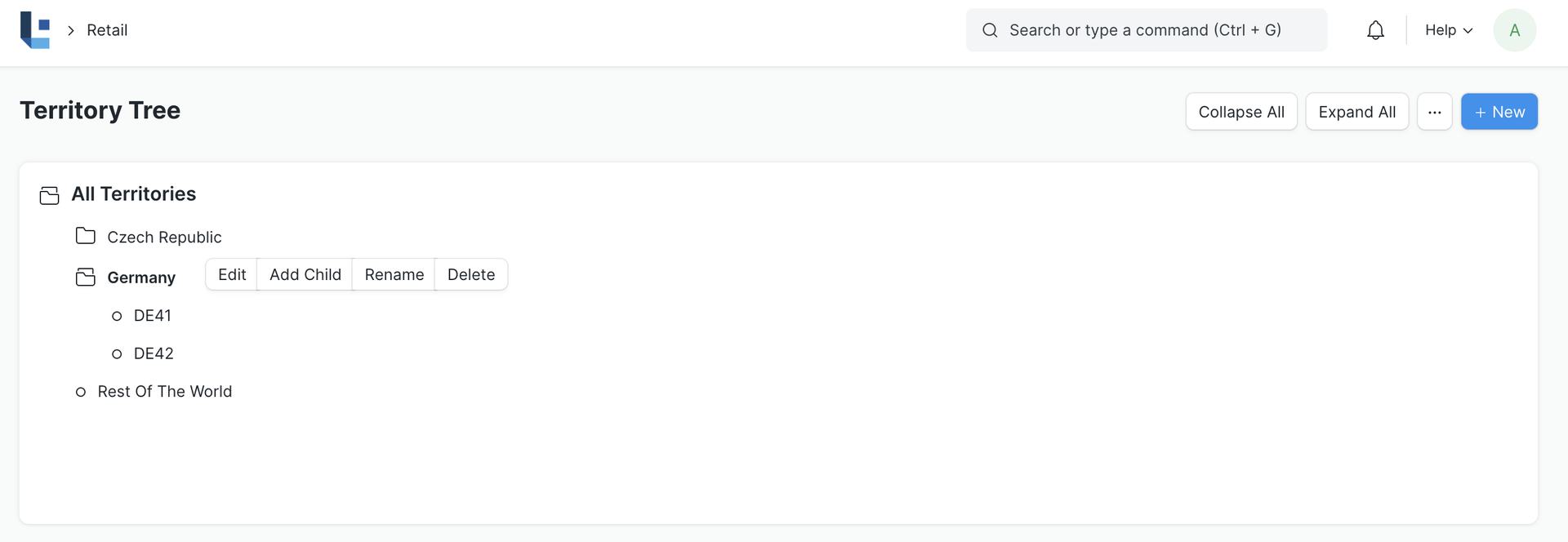
You can add multiple sub-territories under a parent territory. On saving, a territory can be selected in transactions and reports.
2. Features
2.1 Assigning a Territory manager
You can assign a Territory Manager who looks after the Sales of of this region.
2.2 Setting Sales Targets
Here you can set specific sales targets based on the following fields:
- Item Group
- Fiscal Year
- Target Qty
- Target Amount
- Target Distribution
3. Related Topics
Was this article helpful?
No comments yet. Login to start a new discussion Start a new discussion